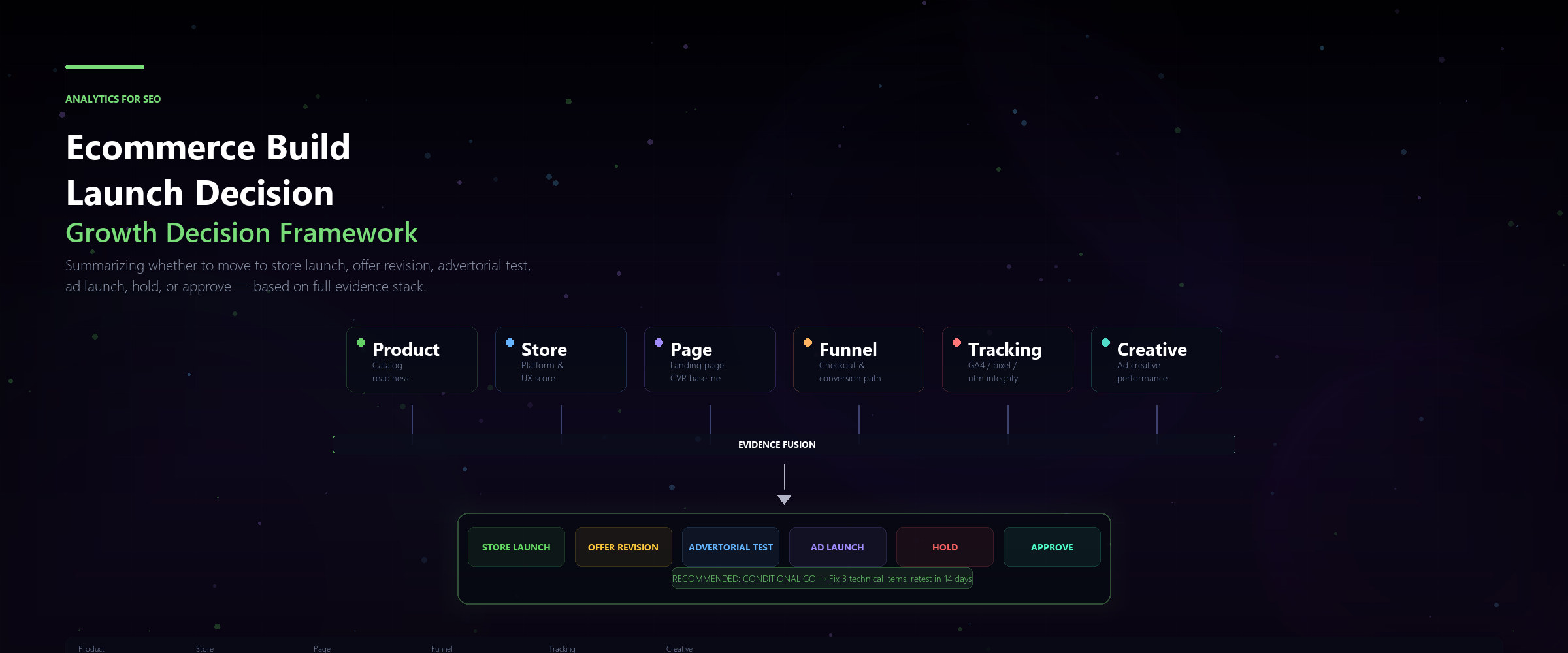
Why Most Ecommerce Build Decisions Skip the Data
Teams often decide to build or launch an ecommerce store based on instinct, a competitor's move, or stakeholder pressure. The missing piece is almost always the same: a structured, analytics-backed decision memo that ties revenue potential, technical readiness, and competitive positioning into one document.
Without that memo, you are launching into the dark. With it, every stakeholder can see exactly what data supports the go/no-go call — and what gaps still need to be closed.
The Ecommerce Build & Launch Decision Memo Framework
This framework turns fragmented reports into a single decision document. It answers three questions every ecommerce launch should be forced to answer:
- Can we win traffic? — based on search demand, SERP landscape, and competitive position
- Can we convert it? — based on revenue forecasts, margin models, and conversion benchmarks
- Can we support it? — based on platform readiness, crawl health, and Core Web Vitals baselines
Step 1: Quantify the Revenue Opportunity
Start by pulling category-level search demand from GA4 and Search Console. Map keyword clusters to product categories. Then apply conservative conversion rate benchmarks by industry to build a bottom-up revenue forecast.
Key report inputs:
The output is a 12-month revenue range — low, medium, and high — that stakeholders can weigh against build cost.
- GA4 ecommerce purchase event volume by landing page category
- Search Console query-level CTR segmented by transactional intent
- Average order value (AOV) per product category from existing order data
- Seasonality curves: when does demand peak for your top categories?
Step 2: Map the Competitive Terrain
Even a strong revenue model fails if the SERPs are locked down. Run a competitive SERP analysis for your top 20–30 target queries. Categorize each SERP by difficulty: dominated by marketplaces, dominated by brand sites, or fragmented with opportunity.
This step often kills ecommerce projects that looked profitable on paper. Better to know now than six months post-launch.
- Identify queries where you can realistically rank in the top 5 within 6–12 months
- Flag queries where the SERP is 80%+ Amazon, eBay, or major aggregators — these require a differentiated content strategy
- Map competitor domain authority, backlink velocity, and content depth per category
- Identify content gaps: what are competitors ranking for that you can produce better?
Step 3: Audit Technical Readiness
Before launch, your platform must pass a crawl-and-index readiness audit. Run a full site audit focused on:
Document every critical and high-priority issue. Assign a fix timeline. The memo should state clearly: "As of [date], [X] critical issues remain unresolved."
- Crawl budget efficiency: are low-value pages consuming crawl budget?
- Canonical consistency across PLPs, PDPs, and faceted navigation
- Structured data completeness for product schema, breadcrumbs, and organization markup
- Internal link architecture: do category pages link logically to subcategories and products?
- Mobile usability: all Core Web Vitals thresholds met on product and checkout pages
Step 4: Build the Launch Scorecard
The scorecard is the final layer. Assign weighted scores across four buckets:
Set a minimum threshold score for launch. If the total falls below it, the memo should recommend a delay with specific remediation items and a reassessment date.
- Revenue Readiness (30%) — forecast confidence, margin model validated, payment infrastructure live
- Competitive Position (25%) — SERP opportunity score, content plan coverage, differentiation strength
- Technical Health (25%) — zero critical audit issues, Core Web Vitals green, structured data valid
- Operational Readiness (20%) — inventory sync, order fulfillment, customer support workflows tested
Step 5: Write the Decision Memo
Structure the final memo in five sections:
Append the full data tables as supporting exhibits. The memo should be readable in under 10 minutes and debatable in a single meeting.
- Executive Summary — one paragraph: recommended decision, key numbers, confidence level
- Revenue Case — forecast range, assumptions, upside/downside risks
- Competitive Assessment — SERP landscape, opportunity map, content gaps
- Technical Audit Summary — readiness score, open issues, fix timeline
- Recommendation — Go / Conditional Go / No Go with supporting rationale
Post-Launch: Close the Loop
If the decision is Go, the memo becomes the baseline for post-launch measurement. Track actual vs. forecasted revenue at 30, 60, and 90 days. Flag deviations early. If actuals run significantly below forecast, revisit the competitive and technical assumptions — don't wait for a quarterly review.
A well-built decision memo doesn't just greenlight a launch. It creates accountability, exposes weak assumptions, and forces the team to anchor decisions in data — not hope.
Sample review note
10X should review Ecommerce Build Launch Decision Memo, compare the decision evidence with the caveats, and keep the next recommendation approval-gated until the reviewer accepts it.